How to Design Screening Forms That Filter Out Low-Intent Candidates
You posted a job, and the applications are rolling in. But as you scroll through them, a familiar feeling sinks in. Most are unqualified, barely relevant, or from candidates who seem to have clicked 'Apply' without even reading the job description. Now your time is spent on manual filtering instead of talking to great people.

How to Design Screening Forms That Filter Out Low-Intent Candidates
You posted a job, and the applications are rolling in. But as you scroll through them, a familiar feeling sinks in. Most are unqualified, barely relevant, or from candidates who seem to have clicked 'Apply' without even reading the job description. Now your time is spent on manual filtering instead of talking to great people.
The problem often starts at the very first step: the application form. A well-designed form acts as a smart filter, saving you hours by encouraging the right people to apply and gently guiding those who are not a fit to self-select out. It's about attracting quality over quantity.
Why Your Application Forms Attract the Wrong People
If your pipeline is full of low-intent applicants, the cause is often a simple design flaw. Many recruiters notice that small friction points in the application process can have a big impact on who applies. Here are the most common reasons your forms may be falling short.
- Asking for redundant information.
Forcing candidates to re-type their entire work history when it is already on their resume is a top reason for drop-off. - Being too long or confusing.
A form that feels like a test or takes more than a few minutes to complete discourages busy, high-quality candidates. - Lacking a clear purpose.
When questions seem random and disconnected from the job's core duties, it signals a disorganized hiring process. - Forcing an account creation.
Requiring candidates to create a login and password before they can even apply is a major barrier. - Ignoring the mobile experience.
If your form is difficult to use on a phone, you are losing a huge portion of the talent pool.
The Strategic Fix for Screening Forms Low Intent Candidates
Building a better screening process is not about adding more questions. It is about asking the right ones. This repeatable process helps you create an application experience that respects the candidate's time and gives you the data you need to make fast, smart decisions.
- Start with the must-haves.
Before you write a single question, list the 3-5 non-negotiable skills or qualifications for the role. - Write your knockout questions.
Turn your must-haves into simple yes/no or multiple-choice questions that can instantly filter unqualified applicants. - Add clarifying questions.
Ask 2-3 short-answer questions that give insight into a candidate's experience or interest in the role. - Include logistical questions.
Confirm basics like work authorization, salary expectations, and start date availability. - Review and simplify.
Read through your form from the candidate's perspective. Remove any question that is not essential for the initial screening decision. - Test it on a phone.
Complete the application on your own mobile device to find and fix any frustrating user experience issues. - Automate the confirmation.
Ensure every applicant receives an immediate confirmation email. This simple step shows respect for their time and improves your employer brand.
Recruiter reality : "I used to get hundreds of applicants for every role. Now I get a fraction of that, but almost everyone who applies is someone I actually want to talk to. It all changed when I fixed my screening form."
Example Questions You Can Use Today
Here are some effective pre-screening questions for hiring a mid-level B2B SaaS Account Executive. These questions balance qualification with candidate experience to gather helpful information quickly.
- Do you have 3+ years of experience in a closing role within the B2B SaaS industry? (Yes/No)
- Which of the following CRM platforms have you used for at least one year? (Select all that apply: Salesforce, HubSpot, Zoho, Other)
- In 1-2 sentences, what part of our company's mission resonates with you the most?
- This role has an on-target earnings structure of [provide a clear, realistic range]. Does this align with your expectations? (Yes/No)
- Are you legally authorized to work in the country this position is located in? (Yes/No)
For more inspiration, we have created a complete template you can use as a starting point. While we can't offer a direct download here, you can find guides and templates on our website to build effective job application forms for any role.
How HireZapp Automates High-Quality Screening
Fixing your forms is a great first step. The next step is automating the process so you can focus on building relationships with top talent. HireZapp is designed to handle the heavy lifting of screening for you.
- AI JD + Job Form Generation
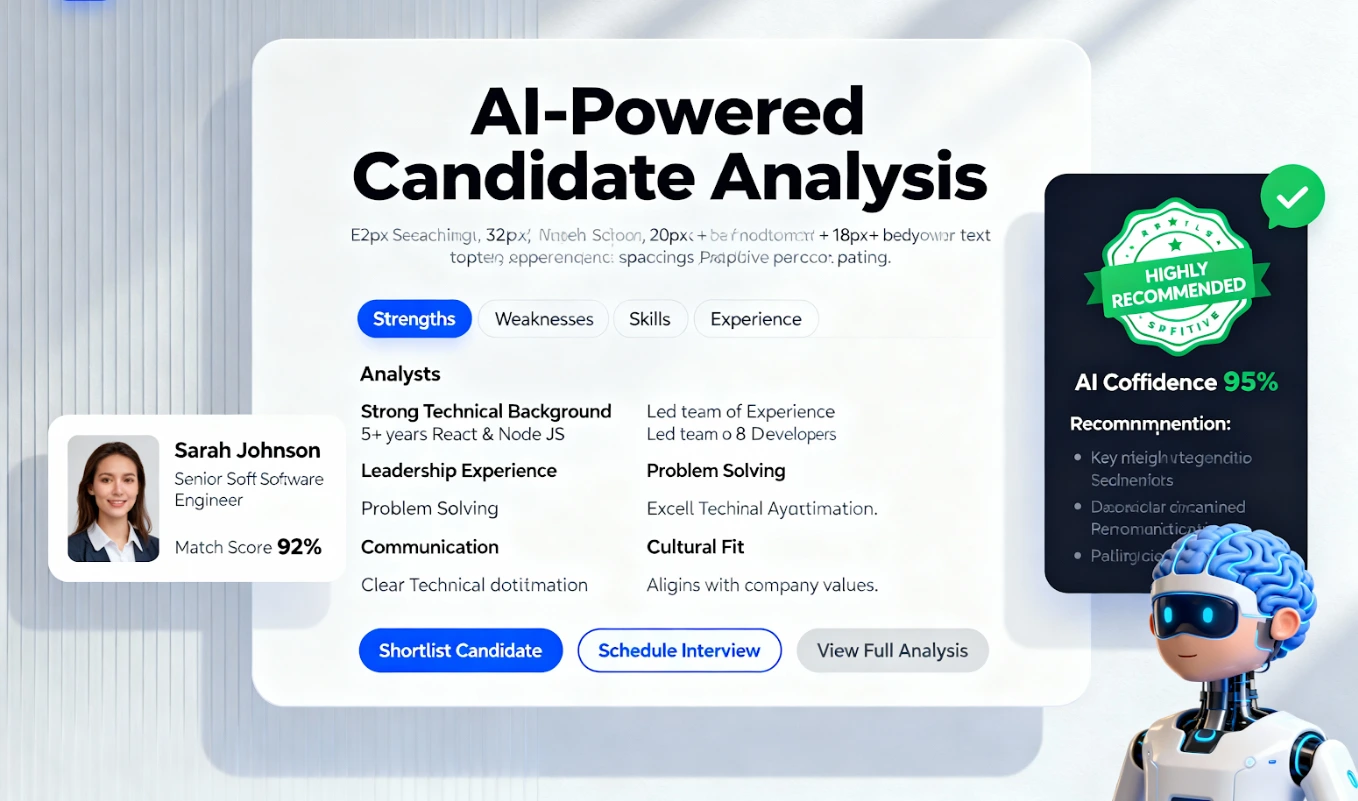
Instantly create optimized job descriptions and corresponding screening forms with questions tailored to the role. This is the foundation of modern AI screening forms. - Job Match Score
Our system automatically calculates an applicant quality score based on their resume, profile, and form answers, so you can see the best-fit candidates first. - Centralized Applicant Tracking
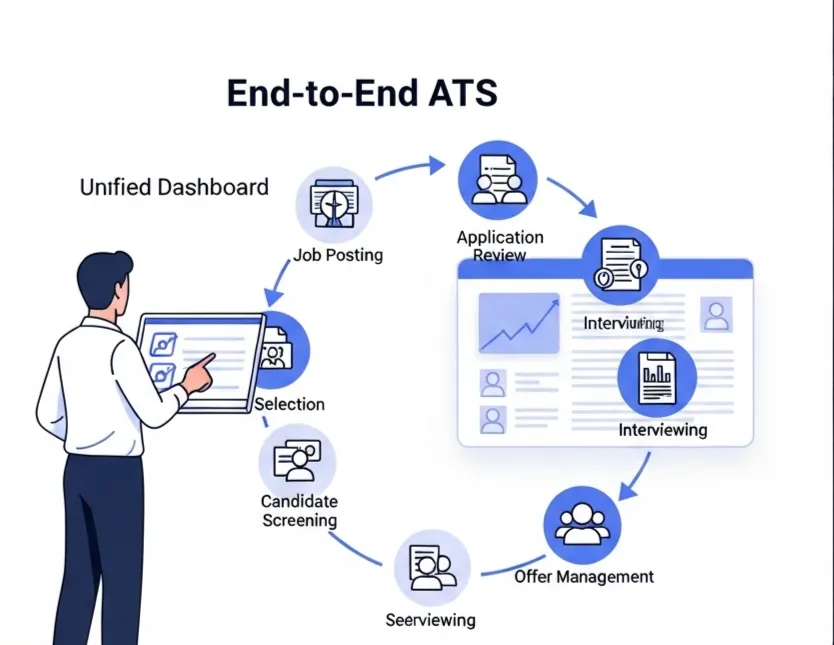
Manage candidates from all your sources—job boards, social media, and your careers page—in one simple pipeline. - Automated Follow-ups
Keep every candidate informed with automated status updates, which helps to reduce application drop-off in your pipeline.
Common Mistakes That Keep Teams Stuck
Even with the best intentions, it is easy to fall into old habits. Avoiding these common mistakes is key to maintaining a healthy and efficient hiring process.
- Ignoring the candidate experience.
- Making every single question mandatory.
- Using internal company jargon.
- Forgetting to communicate next steps.
- Failing to review and update old forms.
What a Great Screening Form Cannot Fix
A smart screening form is a powerful tool, but it is not a magic wand. To build trust, it is important to be honest about what it cannot do. A great form will not:
- Fix a vague job description.
- Make up for a non-competitive salary.
- Replace the need for a real conversation.
- Create qualified candidates that do not exist.
Your Next Step: From Applicants to Hires
Designing better screening forms is one of the highest-impact changes you can make to your hiring process. By asking smarter questions upfront, you reclaim your time, improve the candidate experience, and get to speak with high-intent candidates faster. It is the first step toward building a predictable hiring machine.
Eliminate Low-Intent Candidates. Instantly.
Tired of unqualified applicants? HireZapp's AI forms automatically filter low-intent candidates, guaranteeing quality hires.
Frequently Asked Questions
1) What are the best job application screening questions?
The best questions are always tied directly to the core requirements of the job. Focus on knockout questions (non-negotiable skills), logistical questions (salary, authorization), and one or two questions that gauge genuine interest in your company or the specific role.
2) How long should an application form be?
Aim to keep it under five minutes. For most roles, this means 5-10 essential questions. The more complex the role, the more you can ask, but always respect the candidate's time. A long form for an entry-level position is a common way to lose great talent.
3) How can AI screening forms help my team?
AI tools like HireZapp can generate relevant questions based on your job description, saving you time. More importantly, they can analyze and score responses instantly, highlighting the most qualified candidates so you know who to contact first.
4) What is the difference between screening and interviewing?
Screening is the process of filtering the entire applicant pool down to a smaller list of qualified candidates. It is about efficiency and qualification. Interviewing is the deeper, conversational process of assessing the skills, experience, and cultural fit of that shortlisted group.
5) What are some candidate screening best practices?
Be consistent, be transparent, and be relevant. Ask every candidate for a role the same set of screening questions. Tell them what to expect next in the process. And make sure every question you ask directly relates to the job's requirements.
6) How do I know if my form is effective?
Track a few key metrics. Look at the form completion rate (are people dropping off?), the percentage of applicants who pass the screening stage, and the overall quality of candidates who make it to the interview. If these numbers improve, your form is working.
7) What are good pre-screening questions for hiring remote workers?
For remote roles, it is helpful to ask about their experience with asynchronous communication tools (like Slack or Asana), their comfort level with working in a specific time zone, and whether they have a dedicated, quiet workspace.