Follow-Up Sequences That Don't Feel Like Spam (Email Automation)
You posted the job, candidates applied, and then... silence. Great applicants fall into a black hole, losing interest while you try to manually track who needs a response. This communication gap is where many companies lose their best hires. The good news is that you can fix it without spending all day writing emails.

Crafting Recruiting Follow-Up Sequences That Don't Feel Like Spam
You posted the job, candidates applied, and then... silence. Great applicants fall into a black hole, losing interest while you try to manually track who needs a response. This communication gap is where many companies lose their best hires. The good news is that you can fix it without spending all day writing emails.
By setting up thoughtful recruiting follow up sequences, you can keep candidates engaged, showcase your company's professionalism, and move people from applicant to hire much faster. It's a core part of modern hiring process automation.
Why Your Follow-Up Emails Get Ignored
Many recruiters find that their outreach emails get low open rates or no replies at all. The problem usually is not the candidate, but the communication itself. When follow-ups feel generic or robotic, they are treated like spam.
- One-Size-Fits-All Messaging
Sending the exact same email to a software engineer and a marketing manager shows a lack of effort. - Lack of Personalization
Emails that don't even use the candidate's name or reference the specific role they applied for are immediately deleted. - Vague and Unhelpful Updates
Messages like "We're still reviewing applications" offer no real value and can frustrate candidates waiting for a decision. - Poor Timing and Frequency
Contacting a candidate too often can feel desperate, while waiting too long makes them feel forgotten. - No Clear Call to Action
If a candidate doesn't know what the next step is, they are more likely to disengage from the process.
A Simple Playbook for Better Recruiting Follow-Up Sequences
Building a system for automated candidate communication doesn't have to be complicated. Following a clear, repeatable process ensures every applicant feels seen and respected, which is key to a positive experience.
- Segment Your Candidate Lists
Group candidates by role, stage in the pipeline, or even source. This allows you to send more relevant messages. - Map the Key Hiring Stages
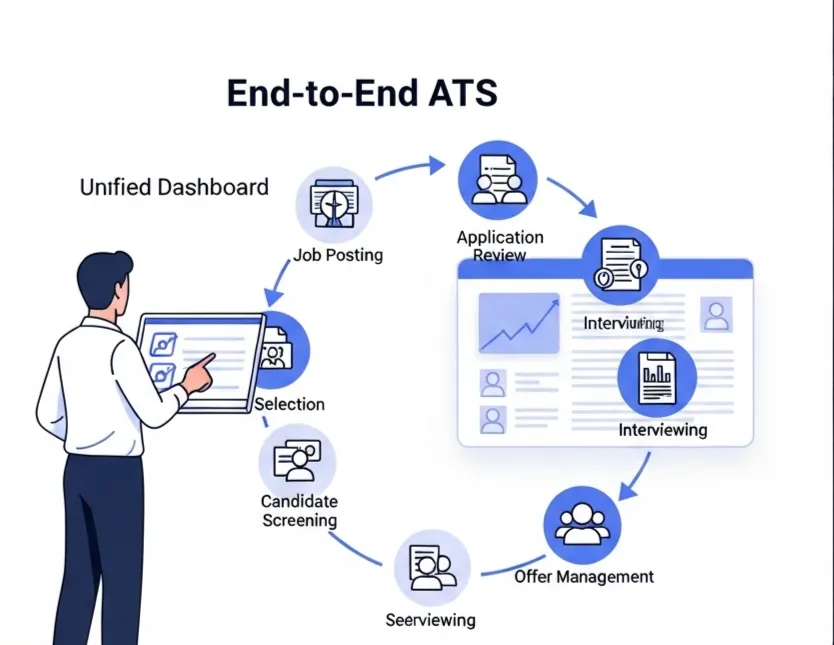
Identify the critical points where communication is necessary: application received, screening, interview scheduled, post-interview, and offer or rejection. - Define the Goal for Each Email
Every message should have a purpose. Is it to confirm receipt, request more information, or provide a timeline update? - Write Human-First Copy
Use a conversational and friendly tone. Write like you're talking to one person, not a database of applicants. - Set Up Smart Triggers
Use your hiring system to automate sending emails based on actions, like moving a candidate to a new stage in the pipeline. - Review and Adjust Regularly
Check in on your email performance. If a certain message has a low reply rate, rewrite it and test a new version.
Templates and Checklists You Can Use Today
Starting from scratch is hard. Use these examples and checklists as a foundation for building your own follow-up strategy. Remember to adapt these candidate follow up email templates to fit your company's voice and the specific role.
<b>Example 1: Application Received Confirmation</b>
Subject: Your Application for the [Job Title] Role at [Company Name]
Hi [First Name],
Thanks for applying for the [Job Title] position. We've received your application and the team will be reviewing it shortly.
Our process typically involves [briefly describe 1-2 steps]. We appreciate your patience and will reach out if your profile aligns with our needs for the next steps.
Best,
The [Company Name] Hiring Team
<b>Example 2: Ineffective vs. Effective Copy</b>
Recruiter reality: Ineffective
"Your application is under review. We will contact you if you are selected to move forward."
Recruiter reality: Effective
"Hi Sarah, the team is currently reviewing applications for the Project Manager role. You can expect an update from us within the next 5-7 business days. Thanks for your patience!"
<b>Checklist for Non-Spammy Content</b>
- Does the email use the candidate's first name?
- Does it mention the specific job title they applied for?
- Is the tone helpful and professional, not demanding?
- Does it provide a clear, realistic timeline for next steps?
- Is the email free of jargon and corporate speak?
- Does it come from a real person's name or a clear team name (e.g., The Talent Team at HireZapp)?
How an Applicant Follow-Up System Connects the Dots
Manually tracking every candidate interaction is nearly impossible as you scale. This is where an integrated system becomes essential. Using a platform with strong ATS follow up features helps you automate the process while maintaining a personal touch.
- Automated Follow-Up Sequences
This lets you build and trigger emails for different pipeline stages, ensuring no candidate is forgotten. - Candidate Segmentation
This allows you to create unique communication paths for different roles or applicant pools without extra manual work. - Branded Communications
This ensures every email, from the job post to the final offer, reflects your company's brand and voice consistently. - Centralized Candidate History
This gives you a single view of all communications with a candidate, so your team always has the full context.
Common Mistakes That Damage Your Brand
Even with good intentions, small errors can lead to a negative candidate experience. Avoiding these common traps is one of the most important recruitment email best practices.
- Forgetting to close the loop with rejected candidates.
- Sending follow-ups with broken links or incorrect information.
- Using an overly casual or unprofessional tone.
- Not providing an easy way for candidates to ask questions.
- Relying on a single communication channel for all updates.
- Making promises about timelines that you can't keep.
What Great Follow-Ups Can't Fix
Automation is a powerful tool, but it's not a silver bullet. An effective communication strategy supports a strong hiring process; it doesn't replace it.
- A confusing or overly long application process.
- A non-competitive salary or benefits package.
- A poorly defined job description that attracts the wrong talent.
- A negative reputation or poor employer brand in the market.
Cut time-to-hire in half
Reduce manual work and focus on candidates who actually fit.
Frequently Asked Questions
1) What are the most important stages for candidate follow-up?
The most critical points for communication are immediately after an application is submitted, after each interview round, and when a final decision (offer or rejection) has been made. Consistent updates in between these stages are also valuable.
2) How can I personalize automated emails without it taking too much time?
Use personalization tokens or variables in your email templates. Fields like [First Name], [Job Title], and [Interviewer Name] can be pulled automatically from your applicant tracking system to make each message feel unique.
3) How many follow-up emails are too many?
This depends on the stage, but a good rule is to communicate at every key transition point. Sending multiple reminders for the same request within a 48-hour period can feel like nagging. Focus on providing value, not just checking in.
4) Can ATS follow-up features really improve candidate experience automation?
Yes, significantly. Good candidate experience automation ensures that every applicant receives timely and relevant information without manual effort. It prevents people from feeling lost or ignored, which is a major factor in how they perceive your company.
5) What are the key elements of non-spammy follow up emails?
The key elements are personalization (using their name and role), clarity (stating the purpose of the email), value (providing a useful update or timeline), and a human tone. Avoid generic subject lines and corporate jargon.
6) How can I segment candidates for different follow-up sequences?
You can segment them based on the job they applied for, their stage in the hiring pipeline (e.g., New Applicant, Phone Screen, Final Interview), their source (e.g., LinkedIn, careers page), or even a rating assigned by a recruiter.
7) Should I automate rejection emails?
Automating the initial rejection for candidates who do not pass the first screening is generally acceptable and ensures a prompt response. For candidates who have completed one or more interviews, a more personalized message is always better.