How to Implement an ATS Without Disrupting Ongoing Hiring
You know you need a better hiring system. Juggling spreadsheets, LinkedIn DMs, and Google Forms is slowing you down while great candidates drop out of your messy process. But the idea of stopping everything to install new software feels impossible.

A Guide to ATS Implementation Without Disruption
You know you need a better hiring system. Juggling spreadsheets, LinkedIn DMs, and Google Forms is slowing you down while great candidates drop out of your messy process. But the idea of stopping everything to install new software feels impossible.
Good news. You don't have to pause hiring. With a smart approach, you can implement a powerful Applicant Tracking System (ATS) and gain control without losing momentum. This guide will show you how.
Why a Messy System Feels Impossible to Change
Switching tools while actively recruiting can feel like changing a tire on a moving car. Many teams delay getting an ATS because they are worried about the transition. The real friction usually comes from a few common fears.
- Losing valuable candidate dataThe fear that resumes, notes, and contact information will get lost in the transfer.
- Disrupting active interviewsWorrying that candidates in the middle of your process will have a confusing or negative experience.
- Overwhelming the hiring teamConcern that learning a new system will take too much time and add more stress to their workload.
- Migrating dozens of job postsThe manual effort of moving every open role, description, and applicant pipeline seems daunting.
- Lacking a clear planWithout a step-by-step guide, the project feels too big and undefined to even start.
Your Phased Rollout Plan for a Smooth ATS Transition
The key to success is a phased approach, not a single, massive switch. This method helps your team learn gradually and protects your active hiring pipelines. A great ATS rollout strategy focuses on small, manageable steps.
- Map Your Current Workflow FirstBefore you do anything, document how you currently post jobs, screen candidates, and schedule interviews. This gives you a baseline to improve upon.
- Set Up the New ATS in ParallelConfigure your new ATS, like HireZapp, behind the scenes. Set up your branding, user accounts, and pipeline stages without turning off your old system.
- Migrate One or Two Low-Risk RolesStart by moving a single, non-urgent job posting into the new ATS. This serves as a perfect test case for the team.
- Train Your Team on Just That RoleHold a short training session focused only on managing candidates for that one specific job in the new system. This makes learning feel easy.
- Announce the Full Switch InternallyOnce the test is successful, send a company-wide update. Provide a clear timeline for when the old system will be retired.
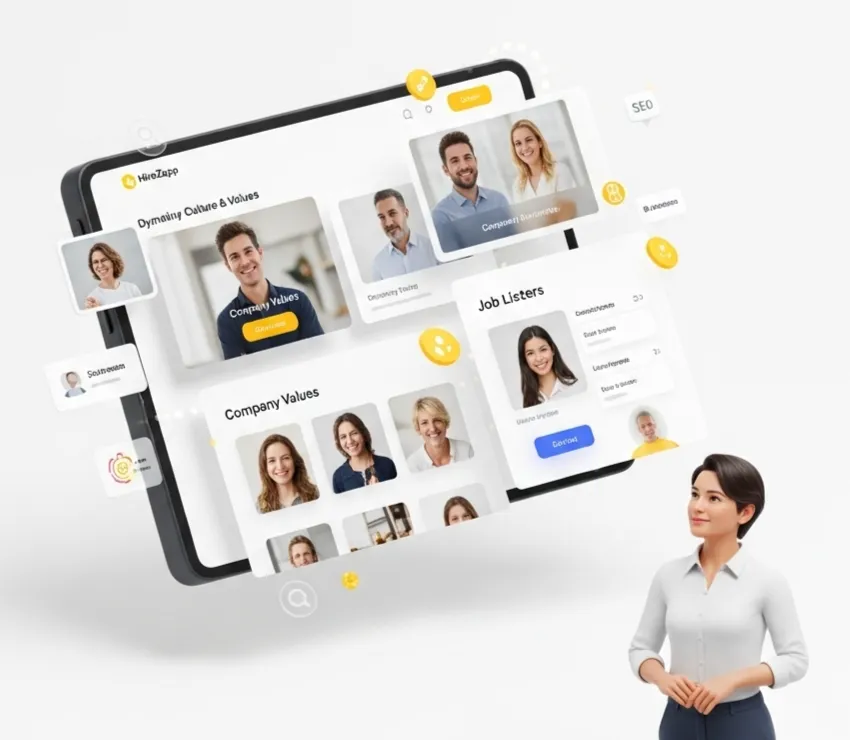
- Direct All New Applicants to the New SystemUpdate your careers page and job board links to send all new applications directly into your new ATS.
- Manually Migrate Active FinalistsFor candidates in the final interview stages, carefully move their profiles and notes over. Communicate with them so they know what to expect.
- Archive the Old SystemOnce all active roles are moved or closed, you can officially shut down the old spreadsheets and forms.
Communication Templates to Keep Everyone Aligned
Clear communication is essential for effective ATS change management. Use simple templates to keep your team and candidates informed, which helps minimize hiring disruption ATS-related changes can cause.
Internal Team Announcement
Subject: We're Upgrading Our Hiring Process on [Date]!
Team, to help us hire great talent faster, we are officially moving to our new ATS, HireZapp, on [Date]. All new job applications will be managed there. We will hold a brief training session on [Training Date] to walk you through the new workflow. For now, please continue managing your existing candidates in the old system. We'll migrate those over together next week.
Candidate Pipeline Update
Hi [Candidate Name], just a quick update. We are upgrading our hiring system to better manage applications. Your profile has been successfully moved over, and you do not need to do anything. We are still reviewing your application for the [Job Title] role and will be in touch with next steps soon. Thanks, [Your Name].
Where HireZapp Fits In
A modern platform should make this process easier, not harder. HireZapp is built to accelerate this transition with features that reduce manual work and help you get organized from day one.
- AI Job Description and Form GenerationLets you create and post perfectly formatted roles in the new system in minutes, not hours.
- Guided Data MigrationSimplifies moving candidate profiles and hiring histories, reducing the risk of data loss.
- Multi-Channel Candidate ScreeningPulls in public LinkedIn or GitHub data to enrich profiles, so you start with more context.
- Automated Follow-up SequencesEnsures no candidate is forgotten during the switch, protecting your employer brand.
Stop losing great candidates
HireZapp helps you screen faster, reduce drop-offs, and close roles with less noise.
Common Hurdles and How to Avoid Them
Even with a good plan, small mistakes can cause delays. Watch out for these common issues to ensure the project stays on track.
- Trying to migrate all data and all roles in a single weekend.
- Forgetting to get buy-in from hiring managers before the switch.
- Neglecting to clean up old or irrelevant candidate data before moving it.
- Failing to set a firm deadline for archiving the old system.
- Assuming the team will figure out the new software without any training.
- Not communicating the benefits of the new ATS to the entire company.
What This Won't Fix
An ATS is a powerful tool for organization and speed, but it can't solve every recruiting challenge. Be realistic about what a new system can and cannot do.
- A disorganized interview process with no clear structure.
- Unclear job requirements or a lack of a candidate scorecard.
- A weak employer brand that doesn't attract qualified applicants.
- Slow hiring manager feedback and decision-making.
Stop losing great candidates
HireZapp helps you screen faster, reduce drop-offs, and close roles with less noise.
Frequently Asked Questions
1) How long does an ATS for small business implementation take?
With a modern, cloud-based system like HireZapp, a quick ATS setup can be done in a single day. A full, phased migration for a small business with active roles typically takes one to two weeks to complete without disrupting hiring.
2) What is the most important part of ATS change management?
Clear and consistent communication is the most critical element. Your team needs to understand why the change is happening, how it will benefit them, and what is expected of them at each stage of the transition.
3) Can I migrate candidate data from spreadsheets to an ATS?
Yes, most modern ATS platforms support importing data from CSV files, which can be easily exported from Google Sheets or Excel. This is a core part of a successful data migration.
4) How do I ensure high ATS adoption from my team?
The best way is to involve them early, provide simple and role-specific training, and highlight how the tool solves their biggest frustrations. Focus on the benefits, like less manual data entry and better candidate tracking, to encourage ATS adoption best practices.
5) What is the best way to handle candidates already in our pipeline?
For candidates in late stages, manually and carefully transfer their profiles and all communication history into the new ATS. For early-stage applicants, a bulk migration followed by a courtesy update email is usually sufficient.
6) Is it possible to achieve a seamless ATS integration with our careers page?
Absolutely. Most ATS providers offer a simple code snippet or plugin that embeds your new, branded job listings directly onto your existing website careers page with minimal technical effort.
7) What should be on our ATS migration checklist?
Your list should include: mapping current workflows, configuring the new ATS, creating a communication plan, running a small pilot test with one job, training the team, migrating data in phases, and setting a final date to decommission the old system.